


Word Search
4.84.10K Reviews
App Specs
- Version
- v1.0.21
- Updated On
- License
- Free
- Downloads
- 1,000,000+
- Developer
- Solitaire Card Studio
- Categories
- Word
- Platform
- Android, iOS
Screenshots

 Analysis by AppCompare
If you want a small puzzle to fill a quiet moment, Word Search has an immediately familiar appeal. I like word searches because they ask for attention without demanding a long learning curve, and this game is built around that simple rhythm: scan a grid, spot a word, and move on to the next one. It is a word puzzle from Solitaire Card Studio, and the basic idea is easy to understand even if you have not played this kind of game on a phone before.
The Puzzle Experience
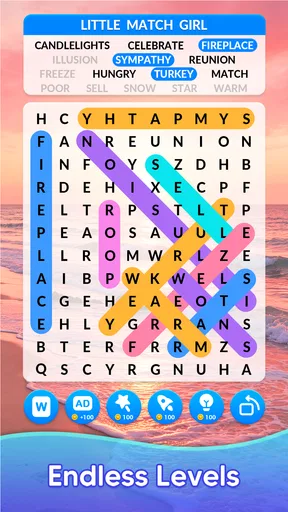
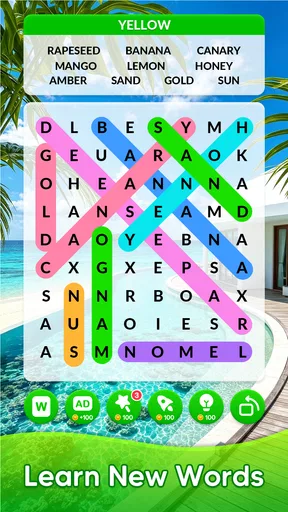
Once you launch the app, you’re greeted with a clean and straightforward interface. It’s refreshing not to be bombarded with ads right from the start. The game offers a variety of themes and categories, which I found perfect for keeping things interesting. From nature to technology and everything in between, there’s a little something for everyone. Trust me, you won’t get bored quickly.
A Familiar Game That Fits Short Breaks
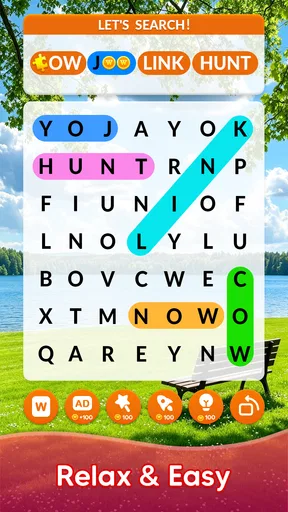
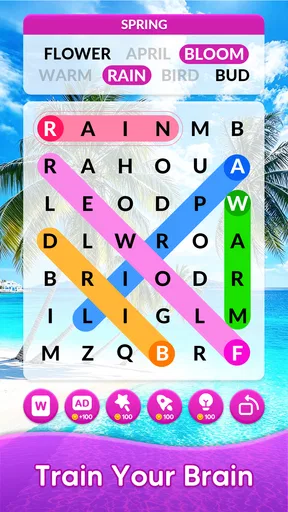
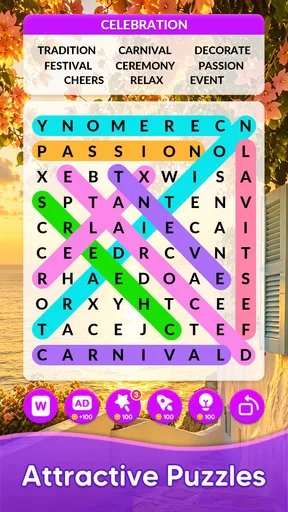
The gameplay is incredibly intuitive. You simply swipe your finger across the letters to select words. The app does a great job of highlighting the words you’ve found, marking them off the list, and giving you a little celebratory ding. It’s these small touches that make the app feel rewarding and keep you coming back for more.
What really hooked me was the difficulty settings. You can adjust the level of challenge from easy to hard, which is great whether you’re a novice or a seasoned word search aficionado. I started on medium and found it to be a nice balance of challenging but not overwhelming.
That adjustable challenge is useful in more ways than simply making a puzzle harder. I’d choose an easier setting when I want a relaxed five-minute distraction, and a tougher one when I can give the grid my full attention. If you find yourself repeatedly scanning the same area, slowing down and checking the word list one entry at a time is often more satisfying than swiping randomly. It turns the puzzle into a methodical search rather than a test of speed.
Keeping Progress Without Turning It Into a Chore
One of the features I particularly enjoyed was the daily challenges. These offer a fresh puzzle every day and a chance to compete with yourself (or others if you're the competitive type). The app tracks your progress, so you can see how you’re improving over time. It’s a neat way to keep your mind sharp and motivated.
I would treat a daily puzzle as a gentle routine, not an obligation. Missing a day should not spoil the appeal of coming back when you have time; the strongest reason to play is that a word search makes a spare moment feel occupied without needing a complicated setup. If you are trying to build a regular habit, a useful approach is to play one puzzle during a predictable pause, such as while waiting for a meal or taking a break between tasks, rather than opening the game whenever you feel pressured to keep a streak alive.
Worth Reading Before You Choose

EA SPORTS FC Mobile 26 Is a Bigger Football Game, but It Takes Time

Flipboard Shows What News Apps Must Do Beyond the Feed

Switching to Android Auto Means Rethinking Your Driving Routine

Google Calendar Makes a Crowded Week Easier to Manage

Ludo King Makes the Most of the Minutes Between Plans

Baby Panda World Brings Quick Play to Modern Phones, but Its Game Library Feels Busy
The distinction matters because progress tracking can motivate some players and make others feel as though a casual pastime has become homework. I enjoy having a record of improvement, but I would not use a speed result as a measure of vocabulary or intelligence. Recognition is affected by the grid, the chosen difficulty and how focused you are that day. The app works best when the tracking adds a little personal context, not when it becomes the reason you play.
Playing With Other People
Another highlight is the multiplayer mode. You can invite friends or join random matches to see who can find words the fastest. This feature adds a fun, social aspect to the game, which is a fantastic twist on the traditional solo experience.
For a fairer and more enjoyable match, I’d make sure everyone understands that the point is quick pattern-spotting, not a deep contest of language knowledge. A player who has more practice with word searches may naturally scan faster, while someone who prefers to take their time can enjoy the same game more as a solo activity. Multiplayer is a better fit for a brief, friendly challenge than for anyone looking for a formal ranked competition.
There is also a practical difference between a shared puzzle and playing alone: when you are by yourself, you can pause your attention, look away, and return at your own pace. A timed contest asks you to stay focused, so it is less suited to a noisy commute or a moment when you might need to respond to someone. I’d save matches for a relaxed setting and use solo play when interruptions are likely.
Comfort, Spending and What to Expect
Let’s talk about the visuals and sound. While the app isn’t going to win any awards for groundbreaking graphics, it’s clean and easy on the eyes, which is exactly what you need for a game like this. The sound effects are simple and not too intrusive, allowing you to focus on the puzzle at hand. Plus, if you’re in a public space, you can easily mute the sound without losing any of the game’s charm.
One thoughtful touch is the night mode, which is perfect for those late-night puzzle sessions when you don’t want to strain your eyes. Just switch it on, and you’re good to go.
It is worth knowing the purchase context before settling in. The game is free to download and rated for Everyone, while in-app purchases are available with listed item prices ranging from $0.99 to $49.99. That range alone does not tell me what each purchase contains or whether a particular item is useful, so I would check the in-game purchase details before spending. I would not assume that paying is necessary to enjoy the puzzles, nor would I assume that every option is purely cosmetic.
In terms of fairness, the main appeal is a personal word-finding challenge, so a purchase should not be treated as proof of better skill. I would keep any spending decision separate from the satisfaction of solving a grid: first see whether the free version suits your routine, then consider an optional item only if its actual description addresses something you want. The game’s price is not a reason to spend automatically, and the listed range is broad enough that checking the individual item matters.
For a phone or tablet that runs Android 7.0 or later, the current release is v1.0.21. The game has an average rating of 4.8 from around 37,000 ratings, with roughly 4,100 written reviews and more than a million installs. Those figures suggest that many players have tried it, but they cannot tell you whether its pace or style will suit you personally. I’d use them as context, then judge the game by whether its controls and difficulty feel comfortable in your own hands.
Compared with a paper word-search book, this version gives you immediate letter selection, marked-off answers and a daily challenge structure, so there is less need to keep track with a pencil. A printed book is still a better choice if you want to avoid screen time, play without a device, or work at your own pace without any digital distractions. Compared with more elaborate word games, this one stays close to the classic grid-search format; that simplicity is a strength for quick sessions, but it may feel limited if you want spelling strategy, story progression or a broad collection of puzzle types.
Who Will Enjoy It, and Who May Prefer Something Else
I can see this being a good fit for someone who wants a low-pressure game for a waiting room, a lunch break or a quiet evening. For example, if I had a few minutes before an appointment, I could open a puzzle, focus on a handful of words, and stop when my name is called without needing to remember a complicated story or task. That makes it easier to fit into an uneven day than a game built around long levels or continuous play.
It may also suit players who enjoy visual scanning more than trivia. You do not need to build a strategy over several sessions to understand the core activity, and the difficulty choice gives you room to make the search feel more comfortable. If small text is hard for you to read, though, I would check the grid on your own device before committing to long sessions. Night mode can change the appearance, but it does not automatically make every screen comfortable for every person.
I would skip it if you mainly want a word game that teaches definitions, tests spelling, or develops a narrative through several stages. A word search rewards noticing letter patterns, not necessarily learning what each word means. Likewise, if you dislike timed competition, the multiplayer option need not be part of your experience; solo puzzles are the more natural choice for an unhurried player.
Why You Should Try It
If you’re looking for a way to relax and unwind while also giving your brain a bit of a workout, this app is an excellent choice. It’s user-friendly, packed with features, and offers a perfect balance of challenge and fun. Whether you’re killing time on your commute or just looking to unwind at the end of the day, this app has you covered.
Plus, with the added bonuses of daily challenges and multiplayer modes, there’s always a reason to come back and play. It’s a simple pleasure that’s hard to put down once you start.
So, if you’re ready to dive into a world of words and test your skills, give Word Search a try. You might just find it’s your new favorite way to pass the time.
Pros
- Engaging puzzles that challenge your vocabulary.
- Simple interface makes navigation a breeze.
- Variety of themes keeps gameplay fresh.
- Offline mode available for on-the-go play.
- Daily challenges offer new puzzles regularly.
Cons
- Contains ads that can disrupt gameplay.
- Limited hints available without purchase.
- Some puzzles may feel repetitive.
- In-app purchases can be pricey.
- Occasional lag on older devices.
FAQs for Word Search
What is Word Search and how does it work?
Word Search is a classic puzzle game available for Android and iOS that challenges players to find hidden words in a grid of letters. The game offers various difficulty levels and themes, allowing users to choose different word categories. Players can swipe or tap to highlight words, making it an engaging way to improve vocabulary and cognitive skills.
Are there in-app purchases in Word Search?
Yes, Word Search includes in-app purchases. While the basic version of the game is free, users can buy additional features like ad-free gameplay, extra themes, or hints to help find challenging words. These purchases enhance the gaming experience but are not necessary to enjoy the full functionality of the app.
Is Word Search suitable for all age groups?
Word Search is suitable for all ages, offering a range of difficulty levels from easy to challenging. This makes it a great educational tool for young children learning new words, as well as a fun activity for adults looking to keep their minds sharp. Parental guidance is advised for younger users exploring in-app purchases.
Does Word Search require an internet connection?
No, Word Search can be played offline, making it convenient for users to enjoy the game anywhere, anytime. However, an internet connection is required for downloading the app, accessing updates, and making in-app purchases. Offline play ensures uninterrupted gaming, ideal for travel or areas with limited connectivity.
How does Word Search help in improving vocabulary?
Word Search aids in vocabulary improvement by exposing players to a variety of words across different themes. As players search for and identify words, they reinforce spelling and word recognition. The game’s progressive difficulty encourages learning new words, making it an educational yet entertaining tool for language development.


